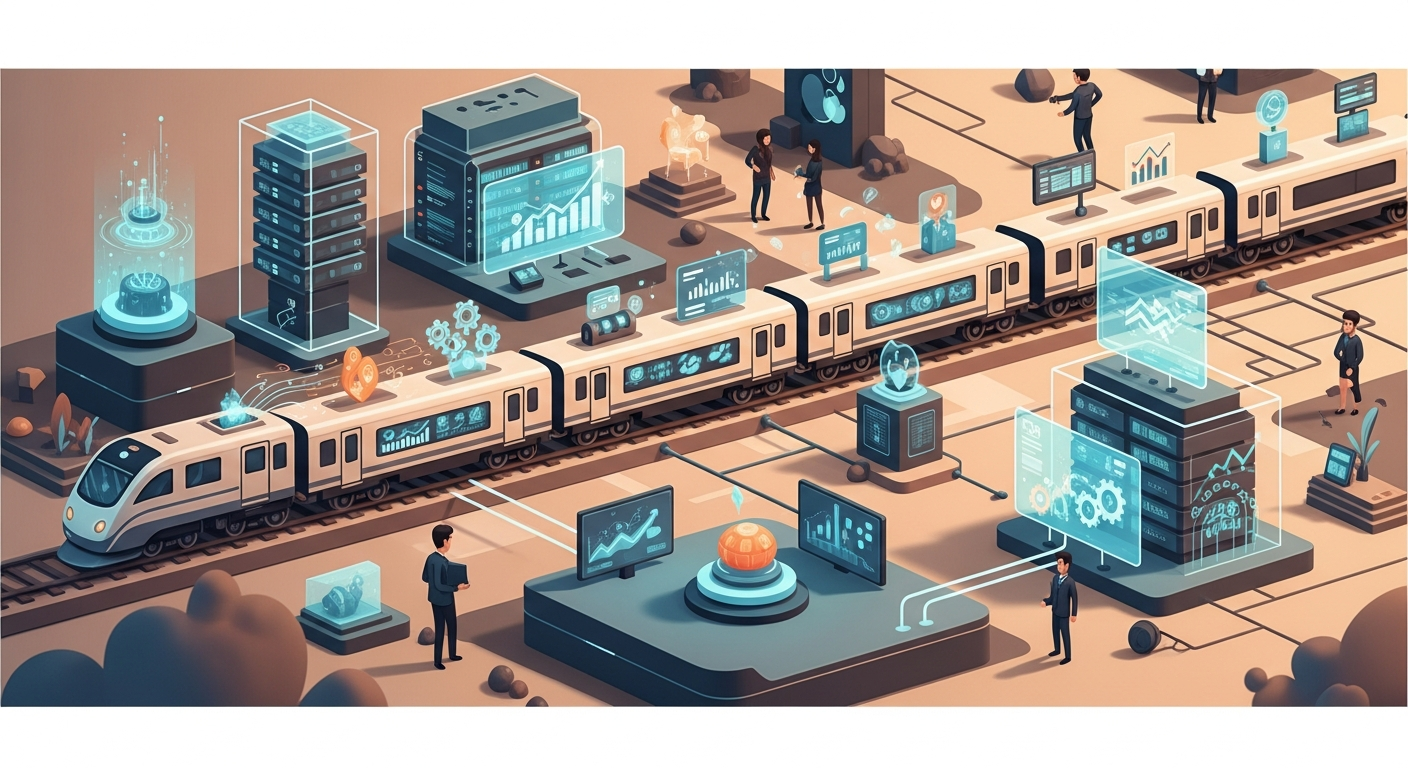
How to Train AI for Complex Multi-Step Processes
In the dynamic landscape of multi-location service businesses, maintaining consistent communication and efficient operations across all your locations can be a significant challenge. From the initial lead inquiry to long-term member retention, many processes involve multiple steps and decision points. This article explores how to effectively train AI for these complex, multi-step processes, leveraging a structured approach to script development and logic definition. By building a robust script library, you can empower your AI automation tools to handle routine communications with precision and consistency, freeing your team to focus on in-person service.
The Challenge of Multi-Step Processes in Service Businesses
You know the drill: a new lead expresses interest, perhaps through a website form or a social media ad. This isn't a single conversation; it's a journey. It typically involves an initial greeting, qualification questions, offer of a trial or introductory service, scheduling coordination, confirmation, and often follow-up if they don't book immediately. Each step has variables, potential roadblocks, and opportunities to either convert or lose a prospective client.
Now, multiply this by dozens or hundreds of locations, each with its own staff, local nuances, and daily operational demands. The complexity scales exponentially. Ensuring every lead receives the same professional, branded, and effective communication at every stage, regardless of location or staff availability, becomes a monumental task. This is where the strategic training of AI for complex multi-step processes offers a transformative solution.
"Consistency across communication touchpoints is not just about brand; it's about building trust and reducing friction for your customers."
The Foundation: Building Your AI's Script Library
Think of your AI's script library as its comprehensive playbook for communication. It's not just a collection of canned responses; it's a meticulously organized repository of approved messages, decision trees, variable fields, and tone guidelines that your AI uses to navigate conversations. This library forms the core intelligence that enables your AI to handle diverse scenarios without human intervention, ensuring brand voice and accuracy.
Developing this library is a foundational step. It moves your business from reactive, ad-hoc communications to a proactive, strategically defined system. When your AI has access to a well-structured script library, it can respond to inquiries, confirm appointments, send reminders, manage re-engagement campaigns, and even handle initial customer service queries with a level of consistency that's difficult to achieve with human staff alone, especially across multiple locations.
Script Library Development Checklist
To build an effective script library, consider these essential components:
| Component | Description | Example for "New Client Inquiry" |
|---|---|---|
| Core Message Templates | Standard, approved messages for common communication types (e.g., welcome, confirmation, follow-up). | Welcome Message, Trial Offer, Booking Confirmation, Unbooked Follow-up |
| Variable Fields | Placeholders for dynamic information (e.g., client name, location, specific service, date, time). | {{client_name}}, {{location_name}}, {{service_type}}, {{booking_link}} |
| Decision Trees/Logic Maps | Flowcharts or rule sets defining the AI's path based on user input, time, or external triggers. | IF (client_asks_price) THEN (send_price_list) ELSE IF (client_asks_availability) THEN (send_booking_link) |
| Tone & Voice Guidelines | Explicit instructions on the desired communication style (e.g., friendly, professional, empathetic, concise). | Always friendly and encouraging, Maintain professional yet accessible tone |
| Objection Handling Scripts | Pre-written responses for common customer objections or questions (e.g., "It's too expensive," "I don't have time"). | Response to 'too expensive', Response to 'not enough time' |
| Escalation Paths | Clear instructions on when and how to hand off a conversation to a human team member. | IF (AI_cannot_answer) OR (client_requests_human) THEN (notify_staff_email) OR (transfer_to_live_chat) |
| FAQs & Information Blocks | Ready-to-use answers to frequently asked questions about services, policies, hours, etc. | Opening Hours, Cancellation Policy, Membership Benefits |
Deconstructing Complex Processes into AI-Trainable Steps
The secret to training AI for complexity isn't to build one massive, intricate script. It's about breaking down large processes into smaller, manageable, and logical steps. This modular approach makes the AI easier to train, troubleshoot, and scale.
Step 1: Process Mapping & Flowcharting
Before you write a single script, you need to understand the full customer journey for a given process. This involves mapping out every potential interaction, decision point, and outcome.
Example: New Lead Nurturing to Booking
- Lead Capture: Website form, social media ad, phone inquiry.
- Initial Contact:
- AI sends immediate welcome message, asks qualifying questions.
- Decision Point: Does lead respond?
- YES: AI continues conversation, assesses interest.
- NO: AI sends follow-up message after X hours.
- Interest Assessment:
- AI identifies service interest, location preference.
- Decision Point: Is lead interested in specific service/trial?
- YES: AI offers scheduling options, trial details.
- NO: AI offers general information, asks for clarification.
- Scheduling Attempt:
- AI provides direct booking link or suggests available times.
- Decision Point: Does lead book?
- YES: AI sends confirmation, pre-arrival info.
- NO: AI sends reminder, offers alternative times, or provides human contact.
- Pre-Appointment Follow-up:
- AI sends reminder X hours before appointment.
- Decision Point: Does lead confirm?
- YES: AI notes confirmation.
- NO: AI sends second reminder, offers rescheduling.
- Post-Appointment Follow-up:
- AI sends thank you, asks for feedback, offers membership options.
By visually charting this flow, you clarify the logic that your AI needs to follow.
Step 2: Crafting Modular Communication Blocks
Once your process is mapped, you can create the 'building blocks' of communication. Instead of one long message, break it into smaller, reusable components. This allows your AI to dynamically assemble responses based on the context of the conversation.
Example: Pre-Appointment Reminder
Instead of one script like this:
"Hi [Client Name], this is a reminder for your [Service Type] appointment at [Location Name] on [Date] at [Time]. Please arrive 15 minutes early. Remember to bring [Items to Bring]. If you need to reschedule, please click here: [Reschedule Link]."
You create modular blocks:
// Block 1: Greeting & Reminder
"Hi {{client_name}}, this is a friendly reminder for your upcoming {{service_type}} at our {{location_name}} location on {{appointment_date}} at {{appointment_time}}."

// Block 2: Arrival Instructions
"To ensure a smooth experience, please plan to arrive {{arrival_time_buffer}} early."

// Block 3: What to Bring
"Don't forget to bring {{items_to_bring}} with you."

// Block 4: Rescheduling Option
"Should you need to adjust your schedule, you can easily do so here: {{reschedule_link}}."

// Block 5: Confirmation Call-to-Action
"Please reply 'CONFIRM' to let us know you're all set!"
The AI can then combine these blocks as needed, or even omit certain blocks if the context doesn't require them (e.g., if items_to_bring is not relevant for a virtual consultation).
Step 3: Defining AI Decision Logic and Triggers
This is where you tell the AI when to send a message and which message to send. This involves setting up triggers and conditional logic.
- Triggers: What events initiate an AI action?
- Time-based: X hours before an appointment, X days after a trial.
- Keyword-based: Client mentions "reschedule," "cancel," "price."
- System-based: New lead captured in CRM, appointment status change, no-show detected.
- Absence of action: Client hasn't responded in X hours.
- Conditional Logic (If-Then Statements): How does the AI choose the next step?
IFclient repliesCONFIRM,THENupdate status to confirmed.IFclient replies withRESCHEDULEkeyword,THENsendBlock 4: Rescheduling OptionandBlock: Available Slots.IF3 follow-ups sent with no response,THENnotify human staff (escalation).
Practical Application: Building a Script Library for a Re-engagement Campaign
Let's walk through a common multi-step process: re-engaging past clients who haven't visited in a while.
Scenario: A client at one of your fitness studios hasn't checked in for 45 days.
Goals:
- Remind them of their membership/past activity.
- Offer an incentive to return.
- Facilitate easy booking.
- Escalate to staff if needed.
Here’s how you might structure the script library and AI logic:
Trigger: Member_Inactivity_45_Days
AI Logic & Script Sequence:
1. Initial Outreach (Day 0 of trigger)
* Logic: IF (Member_Inactivity_45_Days_Triggered)
* Action: Send Re-engagement_Message_1
```text
// Re-engagement_Message_1 (Email/SMS)
Subject: We Miss You, {{client_name}}!
Hi {{client_name}},

It's been a little while since we last saw you at {{location_name}}! We've been thinking about you and all the progress you were making.

We know life gets busy, but we'd love to help you get back into your routine. Our team is here to support you.

Ready to jump back in?
Reply to this message or click here to view our current schedule and book your next session: {{booking_link}}

Warmly,
The Team at {{location_name}}
```
> "Personalization within templates goes beyond just names; it's about making the message feel directly relevant to the individual's journey with your business."
2. Follow-up with Soft Offer (Day 3 after initial outreach, if no response)
* Logic: IF (Re-engagement_Message_1_Sent AND No_Response_After_3_Days)
* Action: Send Re-engagement_Message_2
```text
// Re-engagement_Message_2 (Email/SMS)
Subject: A Little Something to Inspire You, {{client_name}}!
Hi {{client_name}},

Just wanted to follow up on our last message. We know taking that first step back can sometimes be the hardest.

To make it a little easier, how about we offer you a complimentary {{incentive_type}} on your next visit? It's our way of saying welcome back!

Claim your {{incentive_type}} and book your session here: {{booking_link}}

Let us know if you have any questions, we're always happy to chat!

Best,
The Team at {{location_name}}
```
3. Direct Engagement Offer (Day 7 after initial outreach, if no response)
* Logic: IF (Re-engagement_Message_2_Sent AND No_Response_After_4_Days)
* Action: Send Re-engagement_Message_3
```text
// Re-engagement_Message_3 (Email/SMS)
Subject: Let's Get You Scheduled, {{client_name}}!
Hi {{client_name}},

Still hoping to see you back at {{location_name}}! We understand if you're busy, but we'd love to help you find a convenient time.

Could you let us know what days or times work best for you this week? We can assist with booking directly, or you can use your link: {{booking_link}}

Looking forward to hearing from you,
The Team at {{location_name}}
```
4. Escalation to Human Staff (Day 10 after initial outreach, if no response)
* Logic: IF (Re-engagement_Message_3_Sent AND No_Response_After_3_Days)
* Action: Notify_Staff_for_Manual_Outreach
```text
// Internal Notification for Staff
ATTENTION STAFF: {{client_name}} (Member ID: {{member_id}}) at {{location_name}} has been inactive for 45+ days and has not responded to our last 3 re-engagement attempts.
Please reach out personally to {{client_name}} via phone at {{client_phone}} or email at {{client_email}}.

Purpose: Personal check-in, offer support, understand reasons for inactivity, and attempt to schedule their next visit.
```
This sequence demonstrates how AI can handle a multi-step process, dynamically choosing the next communication based on customer interaction (or lack thereof).
Integrating AI Automation Tools for Seamless Execution
This entire process—from lead capture to re-engagement—is precisely where AI automation tools excel. Platforms like AI Front Desk are designed to house these script libraries, execute the decision logic, and manage communications across all your locations.
- Automated Outreach: The AI initiates messages based on defined triggers (e.g., new lead, inactivity, upcoming appointment).
- Dynamic Response Generation: Using the script library, the AI crafts personalized messages by inserting variable fields and selecting appropriate communication blocks.
- Integration with Scheduling Systems: AI tools can directly interact with your existing scheduling platforms, allowing clients to book, reschedule, or cancel appointments seamlessly via text or chat, reducing no-shows and optimizing capacity.
- Consistency Across Locations: Because the script library is centralized, every location benefits from the same approved, professional, and on-brand communications. This ensures a uniform customer experience regardless of which location a client interacts with.
- Staff Empowerment: By handling routine, repetitive communications, the AI frees up your valuable staff. They can then focus on providing exceptional in-person service, complex problem-solving, and building deeper relationships with clients, knowing that the automated communications are consistently and reliably managed.
Quick Wins: Implement These Today
You don't need to overhaul your entire communication strategy overnight. Here are a few immediate actions you can take:
- Identify One High-Volume Process: Choose a single, multi-step communication process that consumes significant staff time or frequently leads to inconsistencies (e.g., new lead qualification, appointment reminders).
- Map Its Decision Points: Grab a whiteboard or a digital flowchart tool and map out every step, decision point, and potential outcome for that chosen process.
- Draft 3 Core Messages: For that mapped process, write down the initial outreach, a key follow-up, and an escalation message. Focus on clarity, tone, and your brand voice.
- Review Existing Automated Messages: Look at any automated emails or texts your current scheduling system sends. Are they consistent? Could they be improved with more dynamic variables or clearer calls to action?
Common Pitfalls to Avoid When Training AI
While AI offers immense benefits, a thoughtful approach is crucial to avoid common missteps:
- Over-Complication from the Start: Don't try to automate every single scenario on day one. Start with high-volume, well-defined processes, iterate, and expand. Trying to build an AI that handles every edge case simultaneously can lead to analysis paralysis and delays.
- Lack of Iteration and Review: Your business evolves, and so should your AI's training. Regularly review AI conversations, update scripts, and refine logic based on real-world interactions. "Set it and forget it" is a recipe for outdated and ineffective automation.
- Ignoring Edge Cases and Exceptions: While you start with common paths, remember to account for unusual requests or specific client needs. Build in escalation paths for situations the AI isn't trained to handle, ensuring no client falls through the cracks.
- Inconsistent Data and Input: The effectiveness of your AI hinges on the quality of the information it receives. Ensure your client data is accurate, consistent, and up-to-date across all systems. "Garbage in, garbage out" applies strongly to AI.
- Forgetting the Human Touch (When Needed): AI is a powerful assistant, not a replacement for human connection. Design your AI to know its limits and gracefully hand off complex, sensitive, or emotional conversations to a human team member. Knowing when to escalate is a critical part of good AI training.
Conclusion
Training AI for complex multi-step processes is an investment in your business's future. By developing a comprehensive script library and meticulously mapping communication flows, you can empower AI automation tools to deliver consistent, professional, and efficient interactions across all your locations. This strategic approach not only streamlines operations and enhances the customer experience but also frees your staff to dedicate their expertise to the invaluable in-person service that defines your business. Embrace the power of intelligent automation to build a more resilient, scalable, and customer-centric operation.